 Databiomes
Quick Start Guide
This guide will help you get started with the prototyping module in just a few minutes.
Prerequisites
- OpenAI Account: You need an OpenAI account with API access
- Python Environment: Python 3.8+ with the model_train_protocol package installed
- API Key: Your OpenAI API key (get it from https://platform.openai.com/api-keys)
Installation
pip install model_train_protocol
Environment Setup
Set your OpenAI API key:
export OPENAI_API_KEY="sk-your-api-key-here"
Or create a .env file:
OPENAI_API_KEY=sk-your-api-key-here
Basic Usage
1. Create a Prompt in OpenAI
Go to https://platform.openai.com/prompts and create a new prompt. For example:
"Create a model that helps users with home repair tasks. The model should provide step-by-step instructions for common repairs like fixing leaky faucets, replacing light switches, and patching drywall."
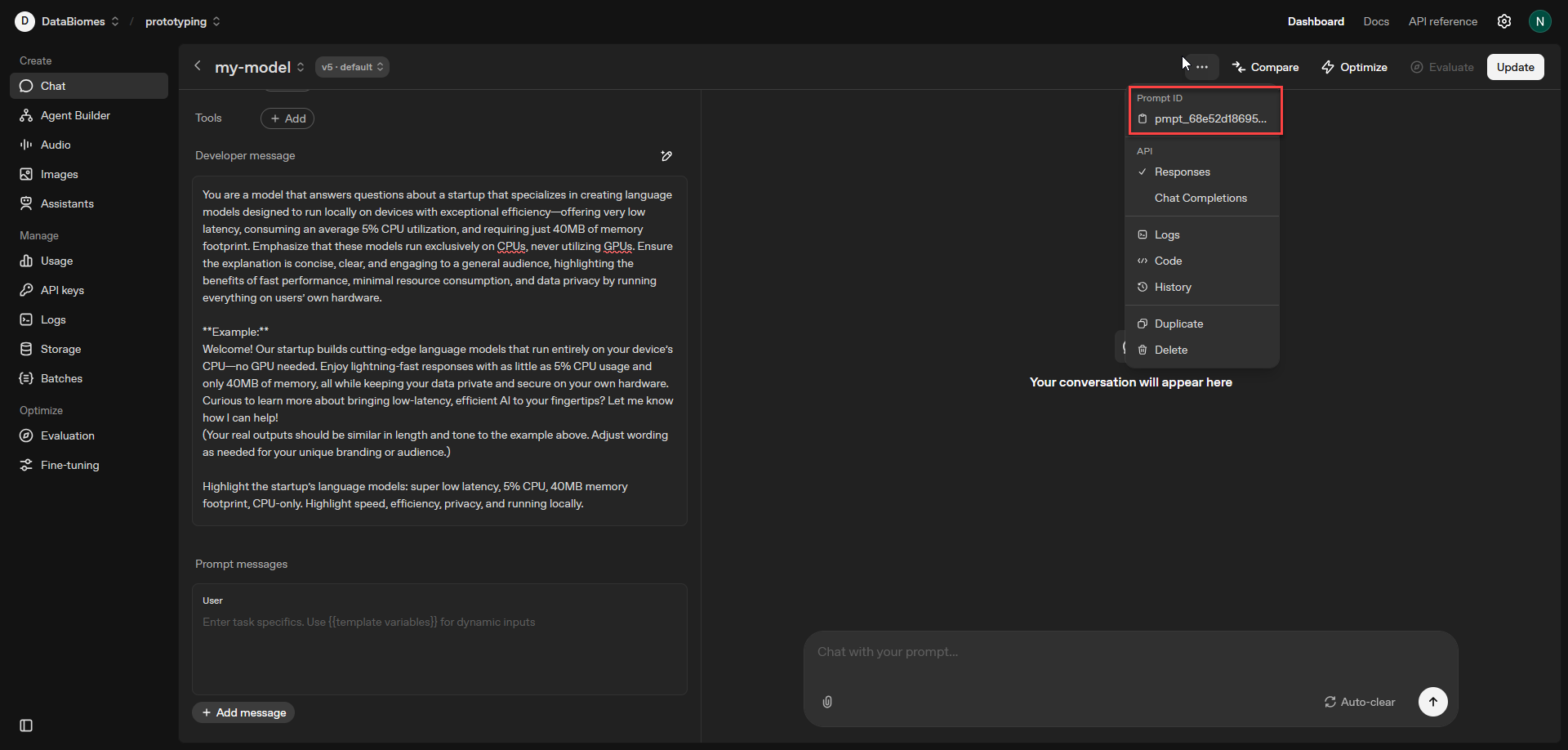
2. Get Your Prompt ID
Copy the prompt ID (starts with "pmpt_") from the OpenAI interface.
3. Generate Your Protocol
from model_train_protocol.prototyping import generate_prototype_protocol

# Generate a prototype protocol
protocol = generate_prototype_protocol(
    prompt_id="pmpt_68e5abc123def456"
)

print(f"Generated protocol: {protocol.name}")
That's it! Your MTP protocol file has been generated and saved. You will see a file like this.
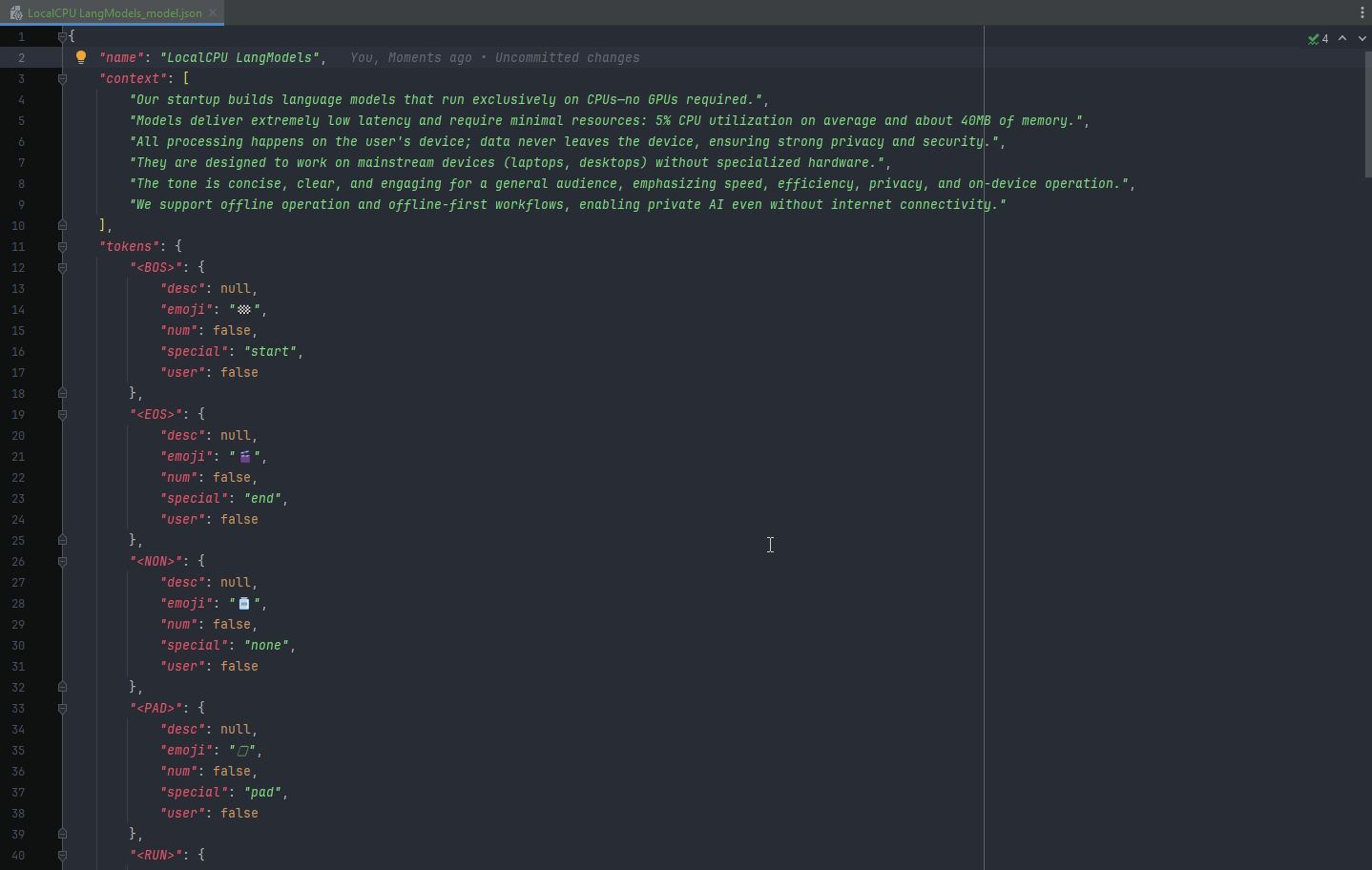
The generated MTP protocol file contains all the training data for your model.
Next Steps
- Review the generated protocol file
- Customize the protocol if needed
- Submit to Databiomes for model training
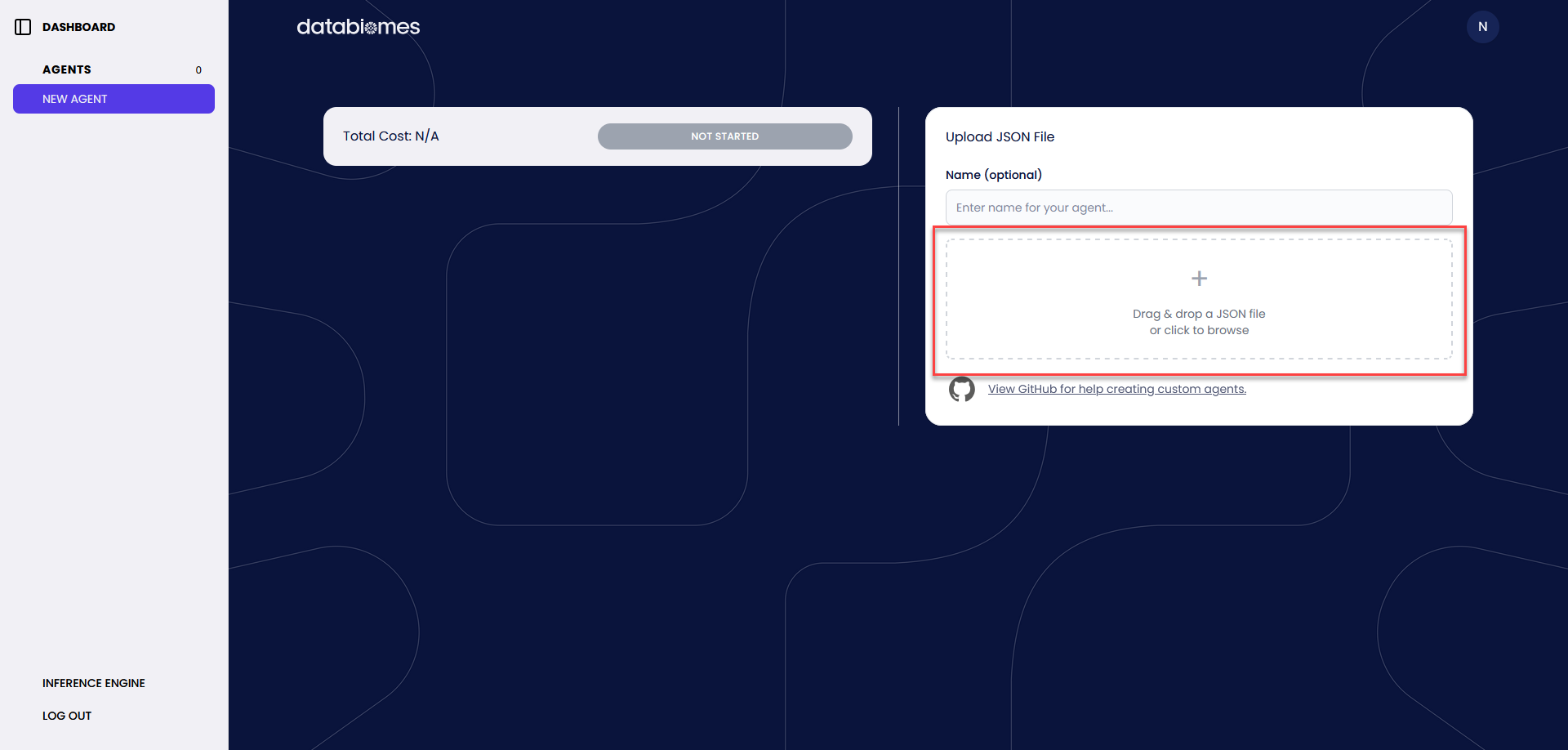
Upload your generated MTP protocol file to Databiomes for model training.
4. Monitor Training Progress
Once uploaded, you can monitor your model's training progress in the Databiomes interface.
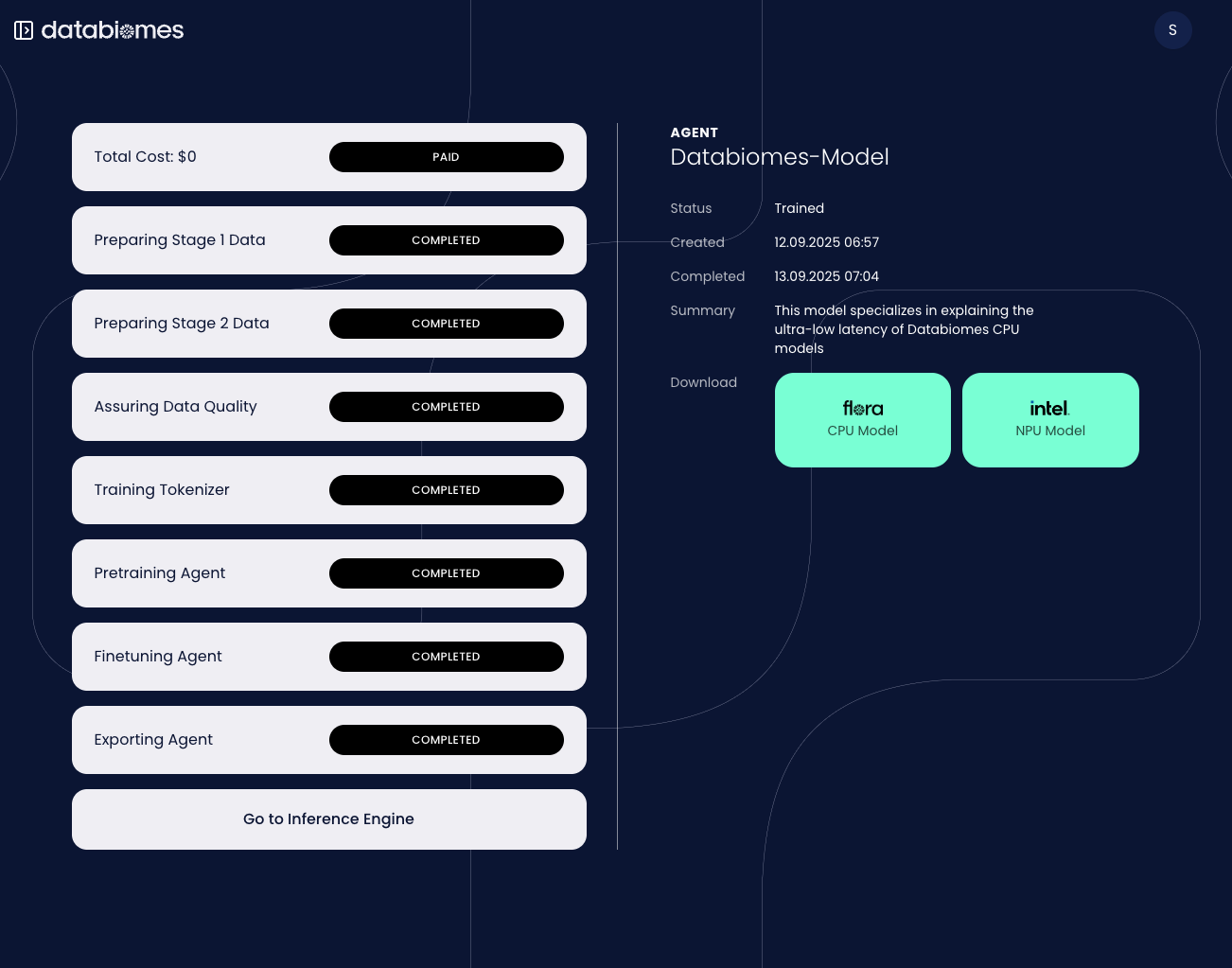
Your trained model will appear in the Databiomes interface once training is complete.