 Databiomes
Flora Engine Demo
The project described in this documentation demonstrates the integration of the Flora Engine plugin using a state machine model generated via the CSV interface.
This project can be downloaded from the FAB Marketplace.
Setup
In order to use the demo project, the Flora Engine plugin must be installed and setup on the device. Steps to setup Flora Engine can be found here.
After the plugin is installed, the model files required for the project must be downloaded and placed in the plugin folder under Content/Models/CheshireCat. The model files can also be downloaded from the FAB Marketplace.
The project can then be opened and the game can be run from the editor or packaged for Windows.
How to use
After launching the game and completing the intro sequence, the Cheshire Cat appears in front of the player alongside a dialogue interface. The player can then ask the Cat questions such as, "Who are you?" or "Where are we?" to trigger specific voice responses.
Offending the Cat, will cause him to disappear and if offended twice, the game will end with Alice waking up from her dream. If the player gets the next "quest" from the Cat successfully, the demo will end with Alice continuing on her journey.
Blueprints
The relevant blueprint for using the Flora Engine plugin can be found by opening the level sequence "Cutscene" within the Sequences folder and clicking on the director blueprint button.
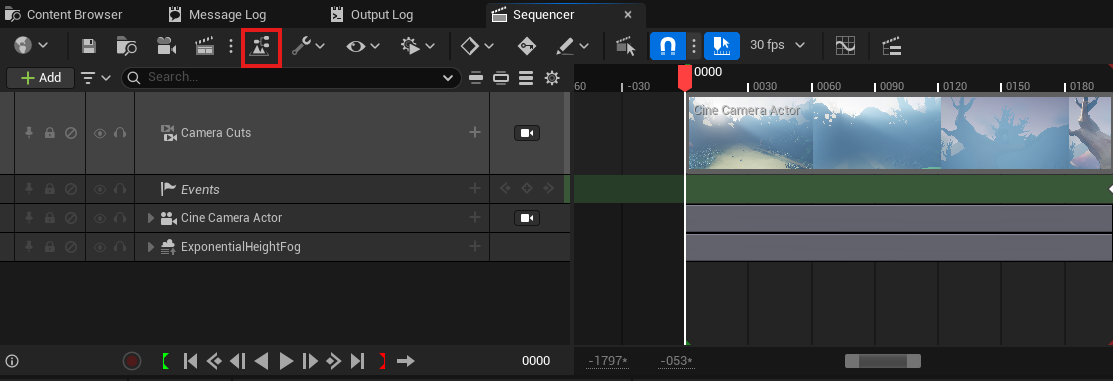
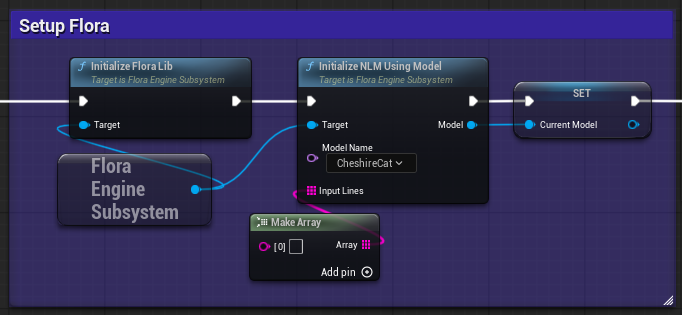
In the Sequencer Events graph the StartCharacterDialogue event is the endpoint triggered from the level sequence. Flora Engine is initialized here alongside the NLM for the Cheshire Cat model.
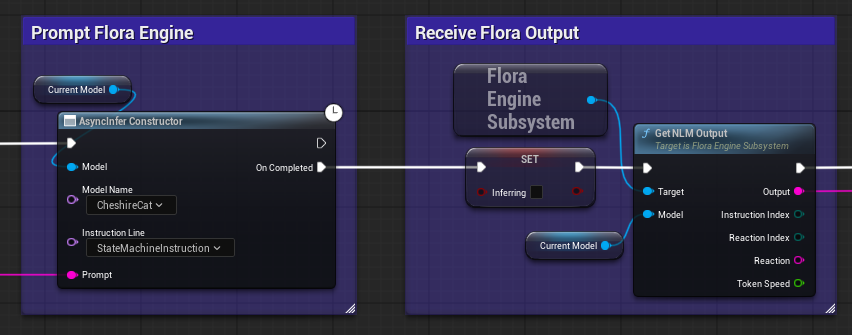
In the EventGraph the PromptNLM event node is called when the user submits a prompt from the dialogue interface. Flora is then prompted with this text and when inference is completed, the output is received.
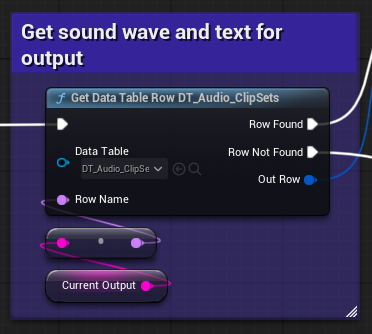
Then using the output of the model, the corresponding row of the datatable is retrieved in order to get the caption texts and audio clips related to the output.