 Databiomes
Flora Engine Plus Demo
The project described in this documentation demonstrates the integration of the Flora Engine Plus plugin using a state machine model generated via the CSV interface.
This project can be downloaded from the FAB Marketplace.
Setup
In order to use the demo project, the Flora Engine plugin must be installed and setup on the device. Steps to setup Flora Engine can be found here.
After the plugin is installed, the model files required for the project must be downloaded and placed in the plugin folder under Content/Models/CheshireCat. The model files can also be downloaded from the FAB Marketplace.
The project can then be opened and the game can be run from the editor or packaged for Windows.
How to use
Following the intro the player will be presented with a voice encoding screen. The player must then press the microphone button and record 20 seconds of audio in order to calibrate the voice comparison system. It it suggested to read the text on the screen with a clear voice for the recording. On subsequent executions a button will appear to skip voice encoding and use the old recording. Please note that capturing a new recording will overwrite the existing one.
An intro sequence will then play and the Cheshire Cat will appear, listening for player input. The player can then ask the questions such as, "Who are you?" or "Where are we?" to trigger specific voice responses. The player has the ability to interrupt the Cat's speech to skip the current voice line, provided the response is not a "game over" event.
Offending the Cat, will cause him to disappear and if offended twice, the game will end with Alice waking up from her dream. If the player gets the next "quest" from the Cat successfully, the demo will end with Alice continuing on her journey.
Blueprints
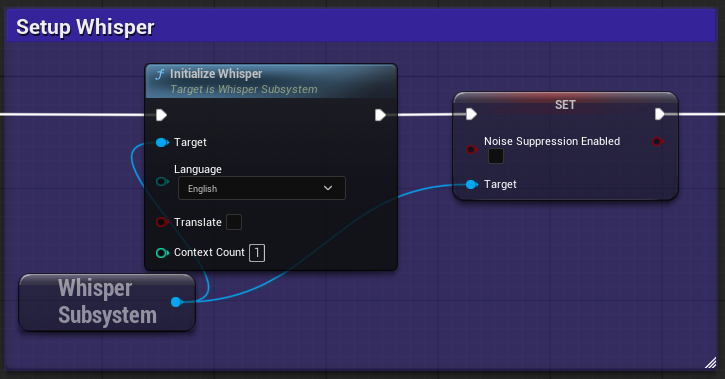
In the level blueprint the initialization for Whisper can be found.
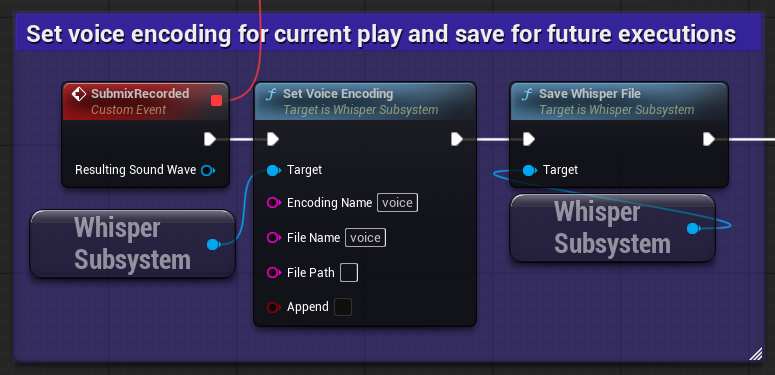
In the UI folder, the WBP_EncodingScreen blueprint can be found. It contains implementation for encoding the user's voice and saving it for future executions.
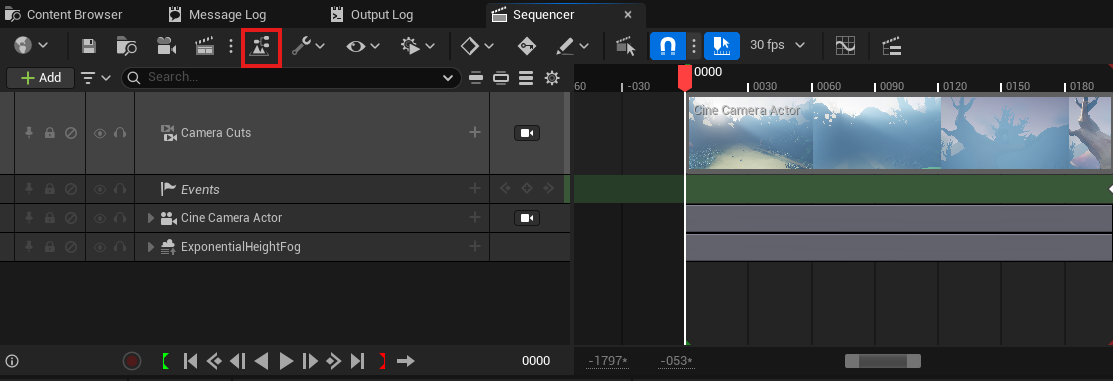
The main blueprint for using the Flora Engine Plus plugin can be found by opening the level sequence "Cutscene" within the Sequences folder and clicking on the director blueprint button.
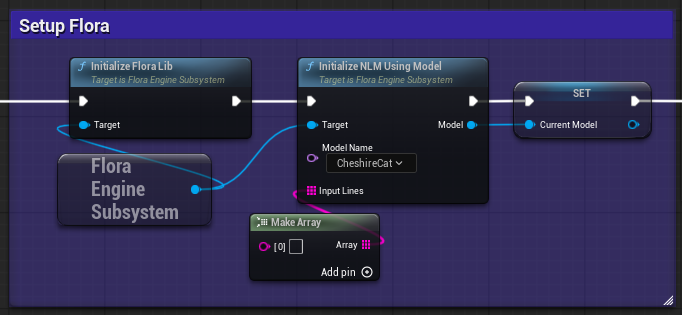
In the Sequencer Events graph the StartCharacterDialogue event is the endpoint triggered from the level sequence. Flora Engine is initialized here alongside the NLM for the Cheshire Cat model.
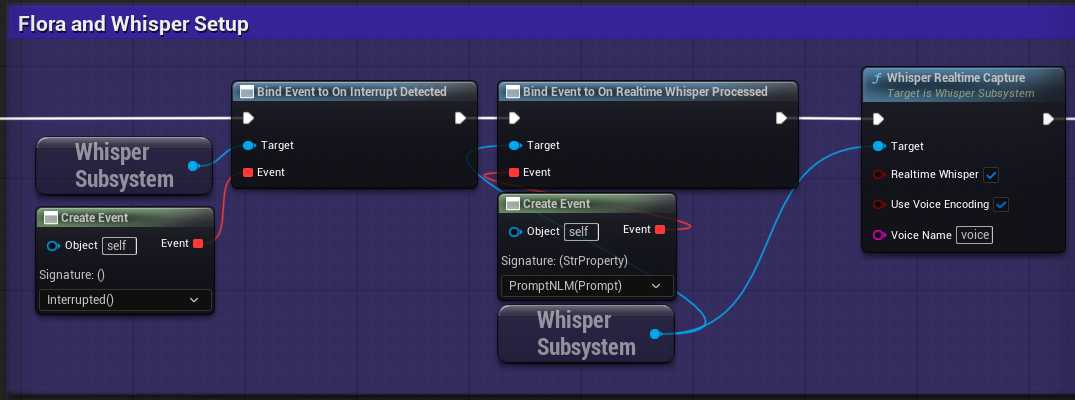
The event binding for Whisper is also setup here for interruption and to prompt the Flora model when Whisper processes a segment of audio. Whisper realtime capture is also started with auto transcription (Realtime Whisper) and voice encoding on 'voice'.
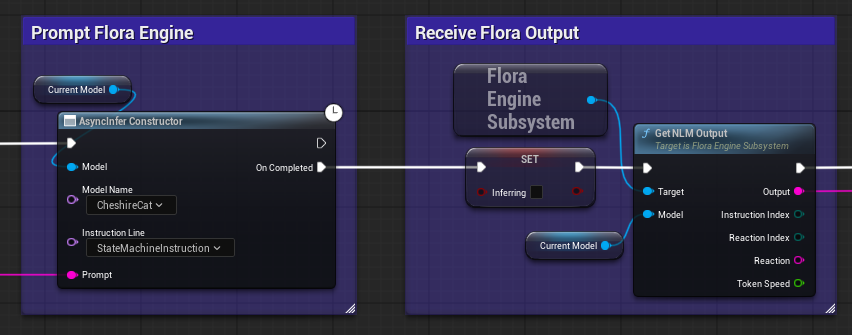
In the EventGraph the PromptNLM event node is called when the user submits a prompt from the dialogue interface. Flora is then prompted with this text and when inference is completed, the output is received.
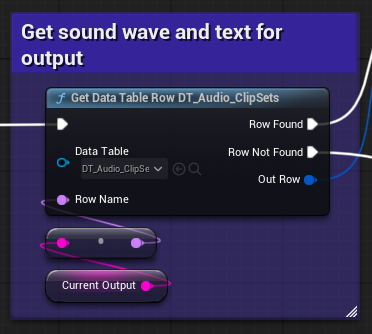
Then using the output of the model, the corresponding row of the datatable is retrieved in order to get the caption texts and audio clips related to the output.
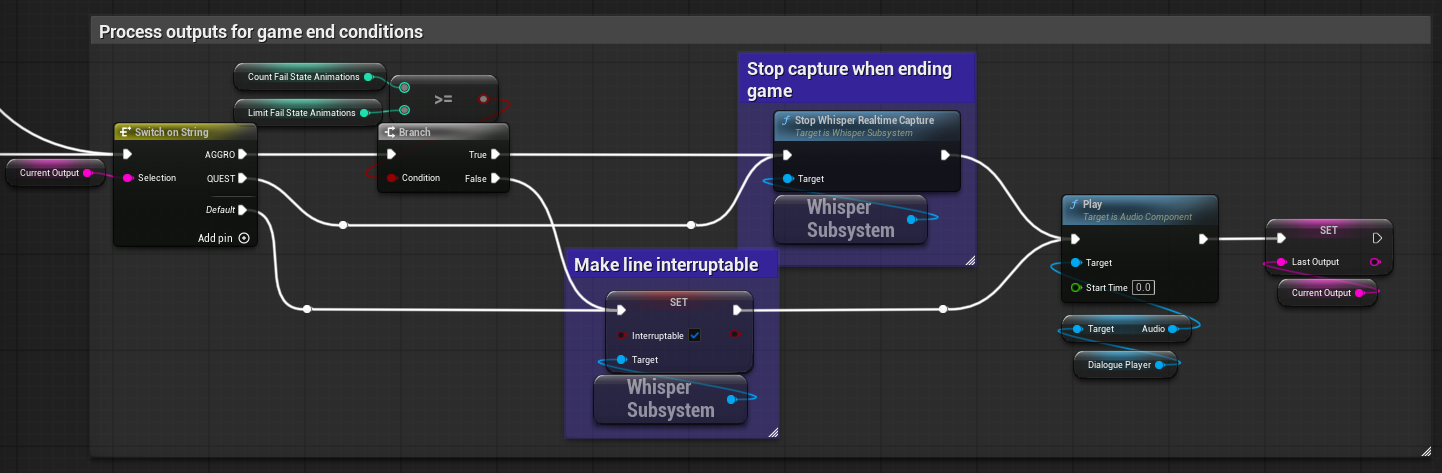
The output is also used to determine if the game is ending and set how the cat interacts using a simple switch statement. When the game is determined to be ending, Stop Whisper Realtime Capture is called in order to disable transcription and inference. If the game is not ending, the cat is made interruptable by setting Interruptable to true on the Whisper Subsystem.
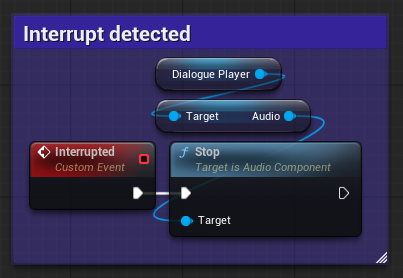
The event Interrupted is called when an interrupt is detected by Whisper and will stop the currently playing audio to trigger the AudioEnd event.