 Databiomes
Voice Encoder
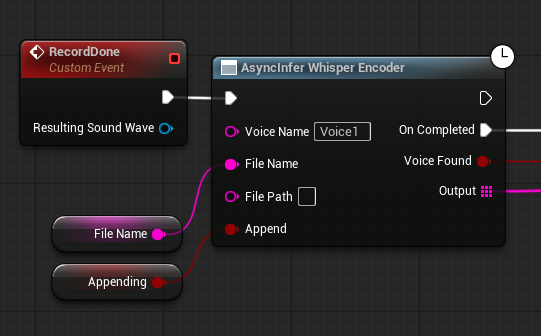
Voices can be encoded to compare similarity and detect if the same voice is being used in the future. Similarly to AsyncInfer Whisper there is also a node AsyncInfer Whisper Encoder. This node will automatically encode the inputted audio, if a voice is detected, keep record of it for the current game as the input Voice Name and transcribe the audio using Whisper. On future execution of the node, it will check similarity of the new audio against the existing Voice Name provided. If the similarity is greater than the detection threshold, then the node will return voice found = true and the audio will be transcribed. The input variable Append can be set to true to add to the existing saved voice encoding to make comparisons more accurate. The threshold can be adjusted using the Similarity Threshold variable on the subsystem.
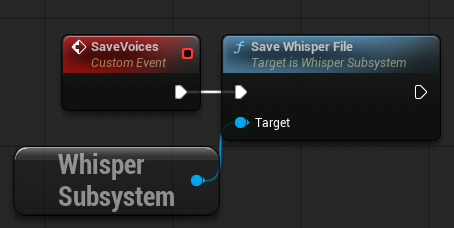
The encoded voices can be saved using the node Save Whisper File which will create a save game file which will automatically be loaded upon future plays.
Lastly there is a setting in the Flora Engine Plus section to automatically save voice encodings to the save file when they are updated.