 Databiomes
Getting Started
After the plugin is installed and enabled with the model files in the correct locations, Flora Engine blueprint nodes will be available for use and plugin settings will appear in the project settings.
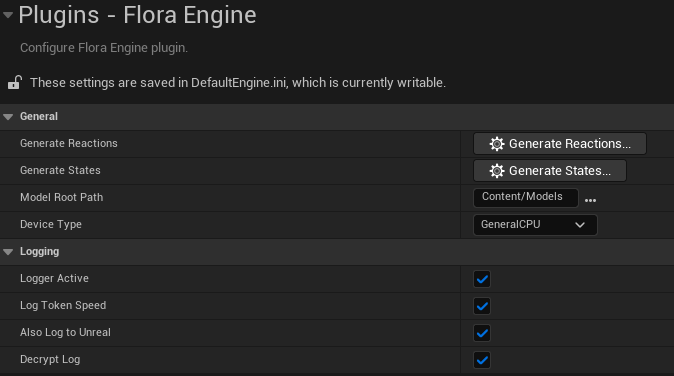
First, navigate to the Flora Engine settings in Edit > Project Settings > Plugins > Flora Engine. From here you will be able to customize features of the logger as well as Flora Engine itself. The Model Root Path must be set to the root folder where the Flora models can be found.
Once set, the Generate Reactions and Generate States buttons can be used to create assets based on the possible outputs of each model. For a more detailed explanation, click here.
The settings also allow you to select the device you are targeting. Changing devices will prompt an editor restart.