 Databiomes
State Machines
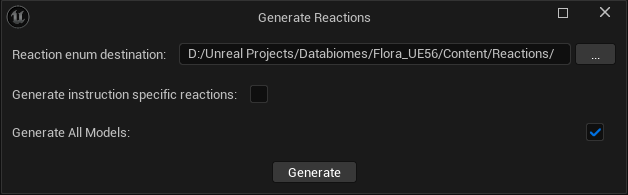
The Generate Reactions button in the settings can be used to build a state machine with Flora models created using MTP. The button will open an interface to select where the generated files will be placed. Generate instruction specific reactions will create a separate ENUM for the outputs of each instruction. These ENUMs can then be used similarly to the example in the blueprints documentation.
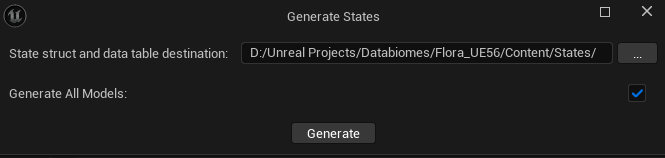
For Flora models created with the CSV interface, a dedicated state machine can be built. The Generate States button will open an interface to select the destination for the generated assets. If desired, the user may specify which models to generate state structures and datatables for.
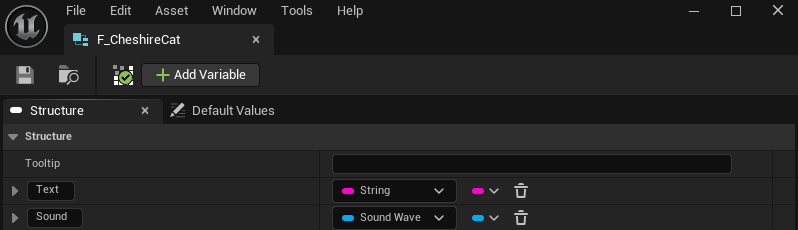
Once generated the structure will by default have a string variable and the datatable storing the structure will have a row for each state possible with the selected model. The structure can be modified to include any assets that may be required for each state of the model, for example, a Sound Wave Asset.
The datatable can then be populated with the desired values for each state.
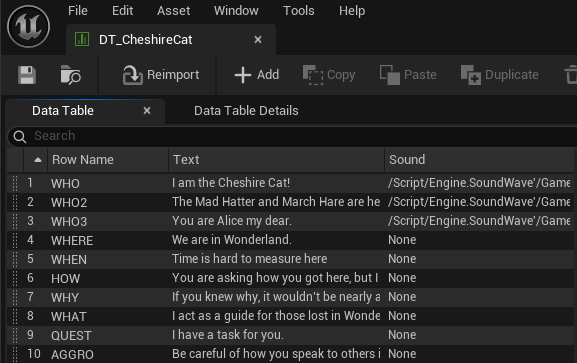
The datatable rows can then be accessed in blueprints with the output of the Flora model to access the corresponding data for each state.
